
 Operation Search
Volume
Adjusts the volume for slideshow and movie playback.
-
Press the
 (Playback) button to switch to playback mode.
-
MENU

 (Volume)

-
Adjust the volume by touching
 or
or  [OK].
[OK].
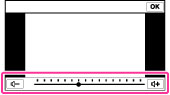
You can also adjust the volume by touching  on the volume adjustment bar and dragging to the right or left.
on the volume adjustment bar and dragging to the right or left. Adjusting the volume during playback of a movie or slideshow
Movie playback: Touch the screen to display the operation buttons, touch and then touch or to adjust the volume.
and then touch or to adjust the volume.
Slideshow: Touch the screen to display the volume control screen, then touch or to adjust the volume.
or to adjust the volume.