
 Operation Search
Scene Recognition
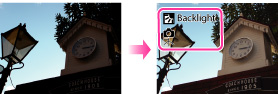
 (Portrait),
  (Infant),
  (Twilight Portrait),
  (Twilight ),
  (Backlight Portrait),
  (Backlight),
  (Landscape),
  (Macro),
  (Close Focus),
  (Spotlight) or
  (Low Light) are displayed on the first line. If the camera recognizes a condition, icons such as
  (Tripod) or
  (Move) are displayed on the second line. The camera may recognize both the scene and condition, or just one.
-
 (REC Mode)
  (Intelligent Auto)

-
MENU
 (Scene Recognition) desired mode

 |
(Auto) |
When the camera recognizes the scene, it switches to the optimal settings and shoots the image.
|
|
|
 (Advanced) (Advanced) |
When the camera recognizes the scene, it switches to the optimal settings. When the camera recognizes
(Twilight ), (Twilight Portrait), (Backlight) or (Backlight Portrait), it automatically changes the setting and shoots another image.
|
-
Scene Recognition function does not operate when you shoot images using digital zoom.
-
(Portrait), (Twilight Portrait) or (Backlight Portrait) are not recognized in Tracking Focus mode.
-
The available flash settings are [Auto] and [Off].
-
These scenes may not be recognized depending on the situation.
-
When using
(Tripod) and (Twilight ) at the same time, sometimes cannot be recognized in an environment where vibrations are transferred to the camera even though it is fixed on a tripod.
-
Sometimes a slow shutter results when a scene is recognized as a
(Tripod) and (Twilight ) at the same time. Keep the camera still during shooting.
-
You may not be able to set some MENU items depending on the selected REC mode. For details, see “MENU items not available in some REC modes.” [Details]
Advanced mode
(Twilight ), (Twilight Portrait), (Backlight) or (Backlight Portrait) scenes, which tends to blur. You can select the desired image from the two images shot.|
|
First Image*
|
Second Image
|
|
|
Shoots in Slow Synchro
|
Shoots with sensitivity increased and shake reduced
|
|
|
Shoots in Slow Synchro with the face which the flash strobes on as guide
|
Shoots with sensitivity increased with the face as guide and shake reduced
|
|
|
Shoots in Slow Synchro
|
Shoots with even slower shutter speed without increasing sensitivity.
|
|
|
Shoots with the flash
|
Shoots with the brightness and contrast of the background adjusted
|
|
|
Shoots with the face which the flash strobes on as guide
|
Shoots with the brightness and contrast of the face and the background adjusted
|
 (Portrait) or (Infant). The camera will select, display, and record the image which the eyes are not blinked automatically. If the eyes are closed in both images, the message “Blinked eye detected” is displayed.